
Get 20% off your first order using the coupon code

Ark: Survival Evolved Server Hosting

An ARK server is defined by its map, its mod list and its rates. Load any official or Workshop map, stack ActiveMods, and link instances into a cluster.

$2.50per GB / month

from $5.00/mo · unlimited slots

  • Ryzen 9 7900–9950X
  • DDR5 ECC
  • NVMe Gen4
Ark: Survival Evolved artwork

HOSTING MADE SIMPLE

Enterprise hardware and every feature you need, at a fraction of the price. Not feeling it? We offer a no-questions-asked 7-day refund window.

50 GB of storage included

Need more than 50 GB of NVMe? Just ask.

10 Backup Slots

Keep up to ten backups at once.

5 Split Slots

Split your server into more than one.

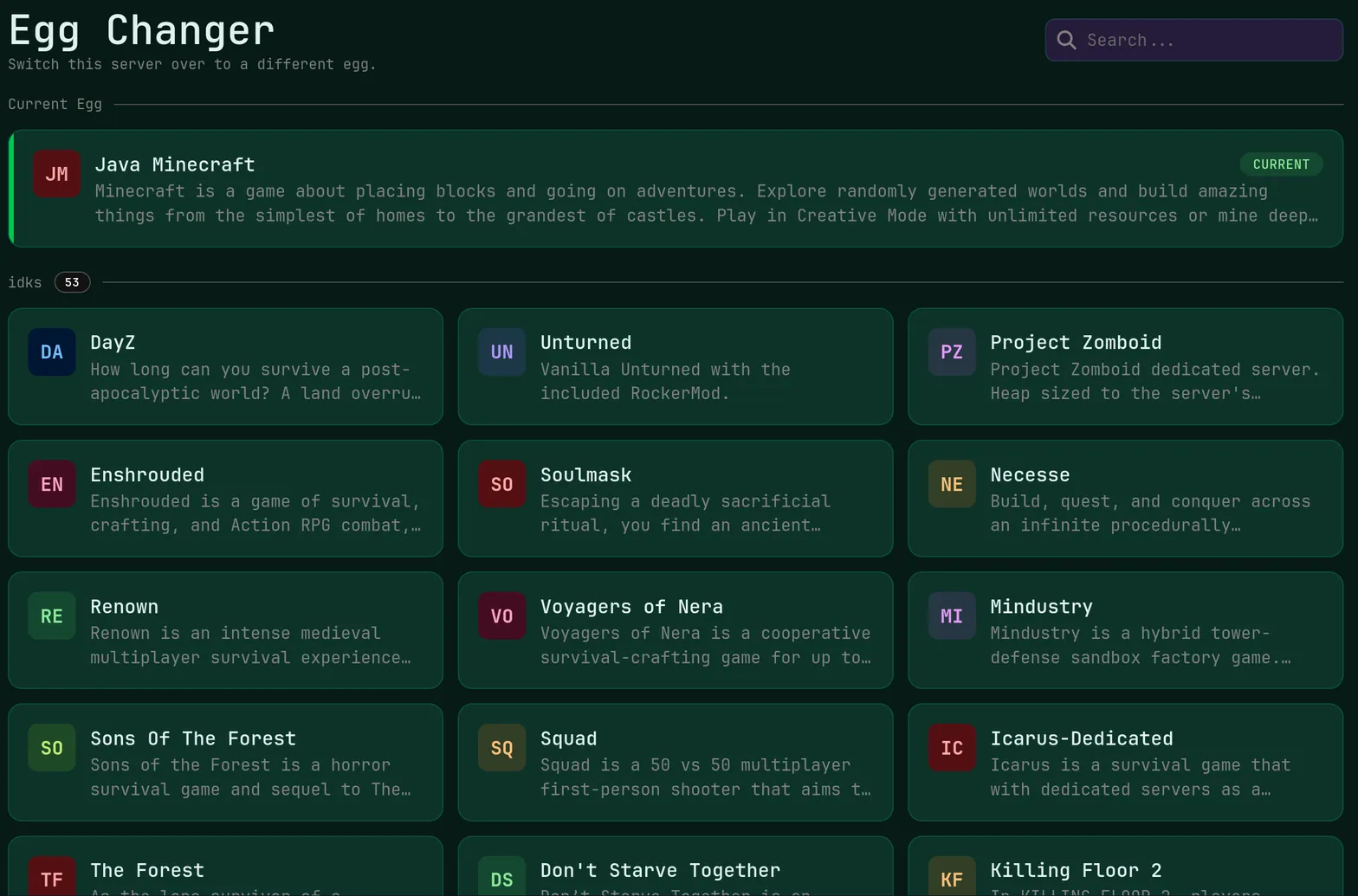
Swap Games Anytime

Switch to any supported game, any time.

One Click Install

Modpacks, worlds, mods and plugins.

Full Version Support

Every version, mod, and modpack.

Crash Detection

We'll tell you when and why it crashed.

Human Support

No AI or bots here. Only humans.

PRICING

Ten players on a vanilla map need 12 GB at $30.00; modded servers and cluster members should start at 16 GB, with 24 GB or 32 GB for long-lived tribes.

RAMMonthly
2 GB$5.003 GB$7.506 GB$15.008 GBmost popular$20.0012 GB$30.0016 GB$40.0024 GB$60.0032 GB$80.00

Every plan: Unlimited Slots · Unmetered Allocations/Ports · Unmetered Databases · Enterprise Hardware · Unmetered NVMe Storage

Need help choosing? Talk to a human or check the docs.

EVERYTHING YOU NEED

ARK's memory demand grows with wild and tamed dino counts, tribe structures and every stacked Workshop mod, so tiers run to 32 GB of DDR5 ECC with 5 Ryzen 9 cores.

Any Map Deployment

Launch on The Island, Scorched Earth, Aberration, Ragnarok, Valguero, Crystal Isles, Lost Island or Fjordur and switch whenever your tribes vote.

Instant setup · Official and Workshop maps

Dino-Heavy Memory Pool

Thousands of wild and tamed creatures are what actually consume RAM in ARK, so plans scale to 32 GB of DDR5 ECC on Ryzen 9 hardware.

Up to 32 GB · DDR5 ECC · NVMe SSD

Workshop Mods By ID

Add mod IDs to ActiveMods in GameUserSettings.ini or use the panel installer, then restart and the server pulls each mod down itself.

ActiveMods · Game.ini rates · File manager

Raid Night Filtering

DDoS protection is included on every ARK instance, so an alpha tribe cannot take your server down when their raid goes badly.

No extra cost · Always on

Room For Tribes

Set your own player cap in the startup options because slots are unlimited here, and manage tribes from the panel player tools.

Unlimited slots · Your own cap

Cluster-Friendly Locations

Run every instance of a cluster in the same city, choosing from Miami, Dallas, New York City, San Jose, Ashburn, Salt Lake City, Toronto, Brussels or Frankfurt.

9 locations · Same-region clusters

ABOUT ARK: SURVIVAL EVOLVED HOSTING

Choosing Your ARK Map

Map choice sets the tone of an entire server. The Island and Scorched Earth are compact and forgiving on resources, while Ragnarok, Valguero and Fjordur are large, dense and considerably heavier on memory. Workshop maps work the same way once their mod ID is active. Changing map is a startup parameter edit plus a restart, and the one-click version changer keeps your build current.

Because save data stays on unmetered NVMe storage, you can archive the previous map's SavedArks folder instead of deleting it, then return to that world months later without paying for extra disk. Downloading a copy over SFTP before any map swap takes a minute and protects every tribe's progress.


Installing ARK Mods And Rates

Modded ARK starts with ActiveMods in GameUserSettings.ini, where a comma-separated list of Workshop IDs tells the server what to download on the next start. Order matters for stacking and structure mods, so keep your list deliberate. Rates and multipliers live across GameUserSettings.ini and Game.ini: taming speed, harvest amounts, XP, maturation, imprint intervals and per-level stat gains.

Both files open in the panel file manager, and the live console shows mod download progress after a restart. With ten rolling daily backups you can experiment with a new stacking mod and restore the previous configuration if it misbehaves.

Building An ARK Cluster

A cluster is several ARK servers that share a transfer directory, letting survivors move characters, items and dinos between maps through obelisks. Set a shared cluster ID and transfer path across your instances, keep them in the same location for consistent latency, and disable the transfer filters you do not want. Unmetered ports and allocations mean the extra endpoints a cluster needs cost nothing extra.

Live Ping by Location

measured from your browser — 9 game server locations in total

Compare all 9 game server locations for node hardware and the regions each one covers.

ARK: SURVIVAL EVOLVED HOSTING FAQ

Common questions about running a Ark: Survival Evolved server with us.

ARK is the heaviest game in our lineup. A small vanilla server on The Island can work on 8 GB, but ten or more players belong on 12 GB at $30.00. Modded servers, large maps like Fjordur and cluster members should run 16 GB at $40.00, and long-lived tribes with thousands of tames are better on 24 GB or 32 GB.