THE GAME PANEL
Pterodactyl with our own modules bolted on, and the whole thing ships with every plan — no tiers, no add-ons, no upsell at checkout. These are the pages you will actually live in.
Ten features are laid out below. The panel does more than ten things — every remaining tool, and how to use each one, is written up in the documentation.

TEN FEATURES YOU WILL USE
01 — 10Live Console & Metrics
Server output streams as it happens and the command bar sends straight to the process. CPU, memory and network graph live beside it, with uptime, node and SFTP details on the same screen.
- Command input
- Live graphs
- SFTP details
File Manager
The whole file tree in the browser — upload by drag and drop, rename, move, delete, and edit configs in a syntax-highlighted editor. Deletions land in a trash bin first, and remote servers can be imported over SFTP or FTP.
- Syntax editor
- Trash bin
- Remote import
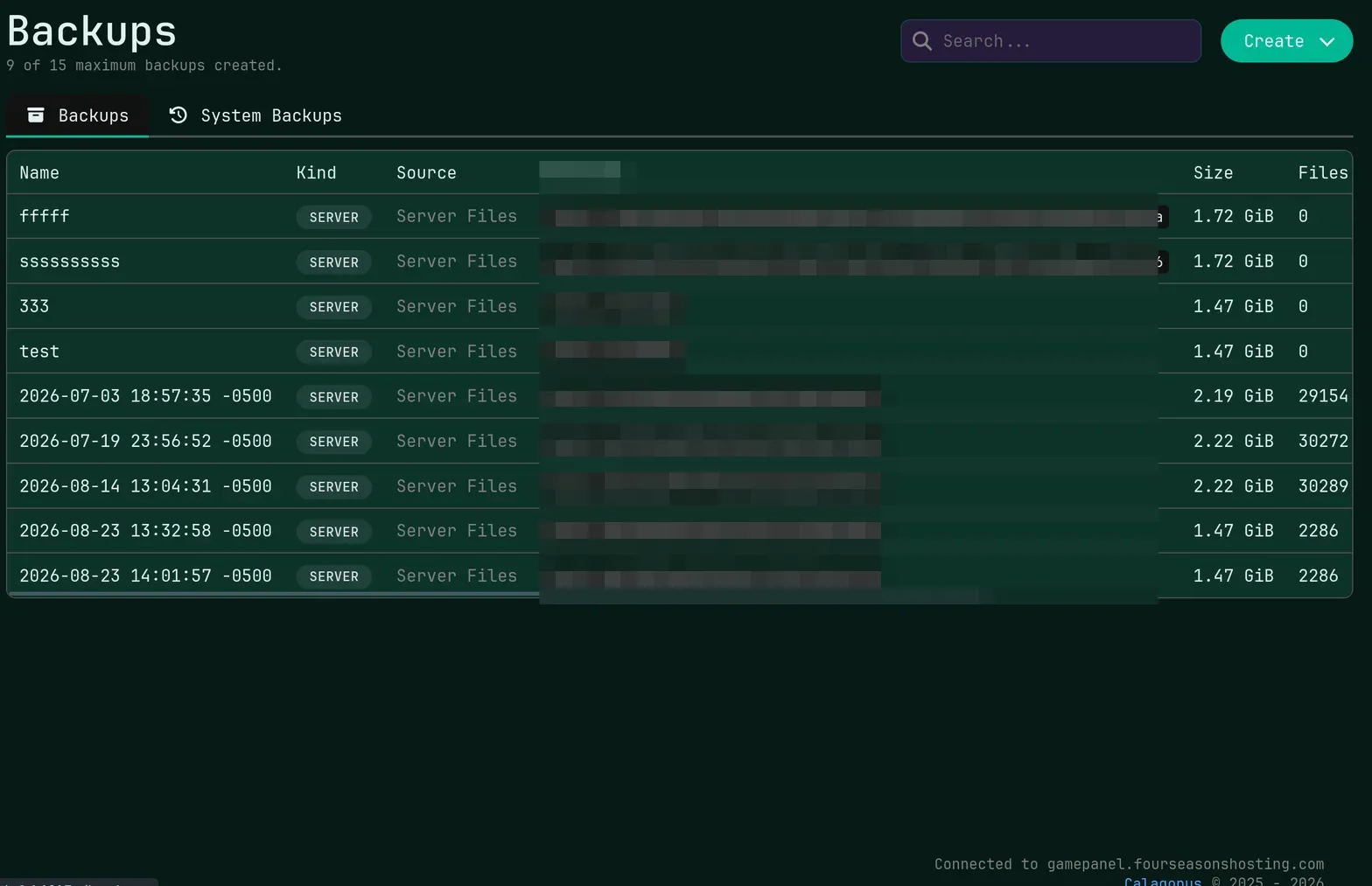
Backups & Restore
Take a snapshot before a risky update, or leave it to a schedule. Any backup restores in one click, and every one of them can be downloaded off the node and kept wherever you want.
- On demand
- One-click restore
- Downloadable
Scheduled Tasks
A cron-accurate scheduler with task templates for the jobs everyone ends up writing anyway: nightly restarts, rolling backups, and any console command you want run on a clock.
- Cron syntax
- Power actions
- Command tasks
Modpack Installer
Five providers indexed inside the panel — CurseForge, Modrinth, Feed the Beast, Technic and Void’s Wrath. Search, pick a version, install. No SFTP session, no hand-placed jars.
- Five providers
- Search & filter
- One-click install
Plugin & Mod Browser
Spigot, Bukkit and Paper plugins browse and install in-panel, filtered to your server version. Forge, Fabric and NeoForge mods work the same way, and your own uploads sit right next to them.
- Spigot browser
- Forge / Fabric / NeoForge
- Version filter
Version & Egg Changer
Move between server software and versions — Paper, Fabric, Forge and the rest — without a reinstall. The egg changer goes further and swaps the server to an entirely different game, files intact.
- No reinstall
- Software swap
- Game swap
Subusers & Permissions
Give your admins their own logins instead of passing one password around. Permissions are granular per action, seats are unlimited on every plan, and the activity log records who did what.
- Granular perms
- Unlimited seats
- Activity log
Network & Subdomains
See and manage your allocations, copy the address, and request extra ports when a mod wants one. Point a custom subdomain at the server from the panel; DDoS filtering is on the whole time.
- Port allocations
- Custom subdomain
- DDoS filtered
Player Manager
Our MCP module reads the running world: who is online, what they are carrying, what they have unlocked. Kick, ban, give items and track advancements without ever typing a command in chat.
- Live roster
- Kick & ban
- Inventory viewer
THAT IS TEN OF THEM
The panel ships with more than fits on one page — split manager, world reset, JVM flag presets, databases, Hytale tooling and the rest. All of it is documented.